












GemLogin is a powerful tool that automates web browser tasks, making it ideal for users who need to manage and operate multiple online accounts simultaneously without the risk of detection or account suspension. By utilizing advanced browser fingerprinting technology, Integrating GemLogin allows users to create customizable anonymous browsing environments, making it the top choice for optimizing work across various platforms.
This article will guide you through the process of integrating GemLogin with MaxTwitter, enabling seamless and efficient account management. With this integration, users can automate tasks, streamline operations, and enhance security while handling multiple Twitter accounts effortlessly.
What is the purpose of GemLogin?
GemLogin is a powerful and innovative tool designed to help users efficiently manage and operate multiple online accounts on a single device without the risk of detection. Built on two globally recognized core technologies, it is widely used by digital marketers, e-commerce businesses, social media managers, and individuals who need a secure and streamlined way to handle multiple accounts at once.
Enhanced Security with Antidetect Browser Technology
One of the standout features of GemLogin is its advanced Antidetect Browser capabilities. The software creates unique browser fingerprints for each account, ensuring that platforms cannot link them together. This significantly reduces the chances of bans, restrictions, or checkpoints that often occur when managing multiple accounts from the same device. Whether you’re handling advertising accounts, e-commerce stores, or social media profiles, GemLogin provides a safe and secure browsing environment tailored to each account.
Automation for Improved Efficiency
Beyond security, GemLogin also integrates powerful automation features. Users can automate routine tasks such as:
✅ Logging in and out of accounts
✅ Posting content on social media
✅ Liking, commenting, and engaging with audiences
✅ Managing bulk account operations with ease
By automating repetitive actions, GemLogin helps businesses save time, reduce manual workload, and scale operations effortlessly. This makes it an ideal tool for those looking to maximize efficiency while maintaining the highest level of security.
Why Use GemLogin?
🔹 Secure & Undetectable – Prevents tracking, bans, and restrictions.
🔹 Multi-Account Management – Operate numerous accounts seamlessly.
🔹 Advanced Automation – Save time and increase productivity.
🔹 Perfect for Digital Marketing & E-commerce – Optimize your online activities with ease.
Whether you’re an affiliate marketer, social media manager, or business owner, GemLogin provides the tools you need to operate safely and efficiently in the digital space.
Read more:
Guide to Integrating GemLogin with MaxTwitter
Step 1: Open both MaxTwitter and GemLogin software.
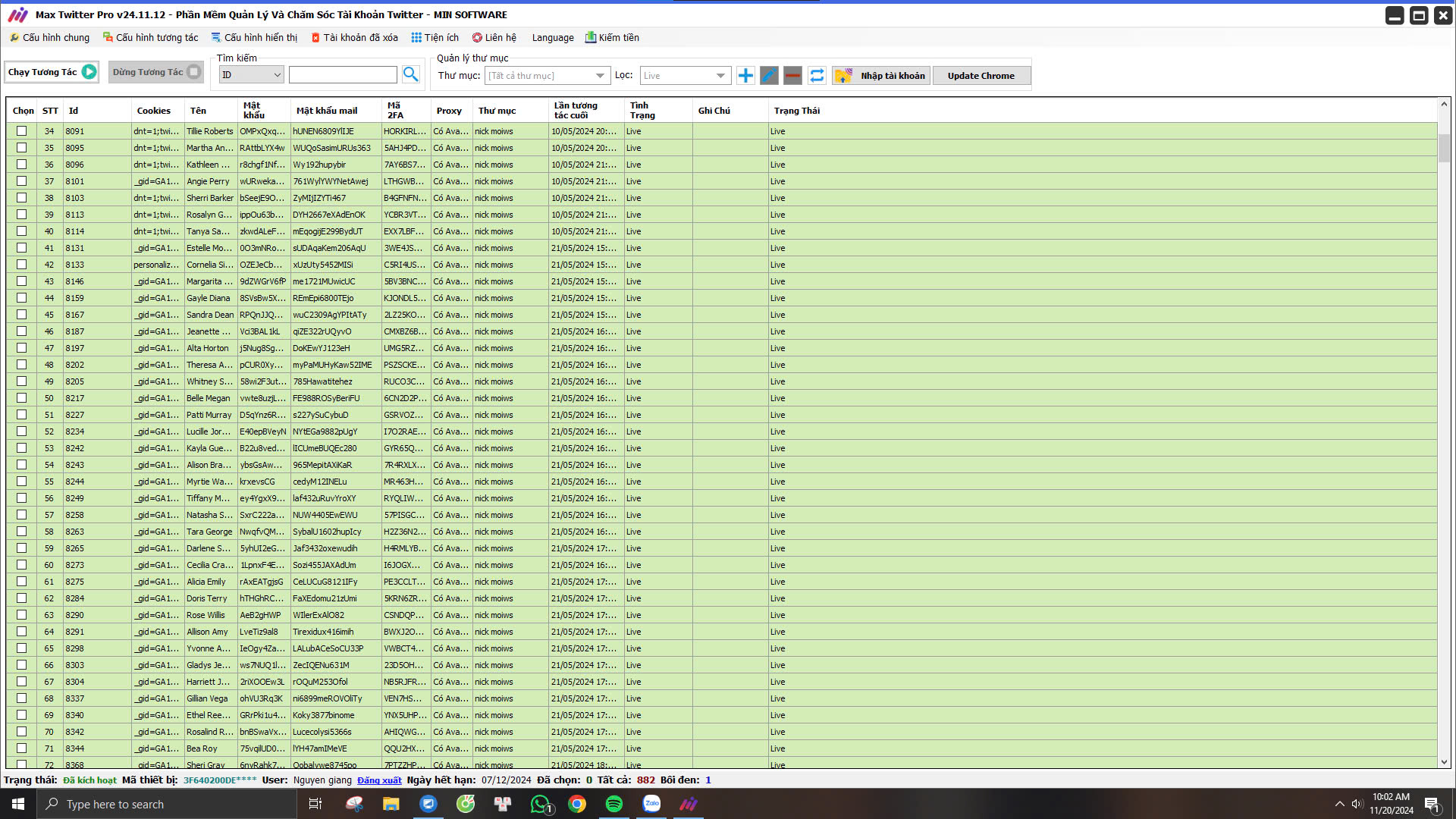
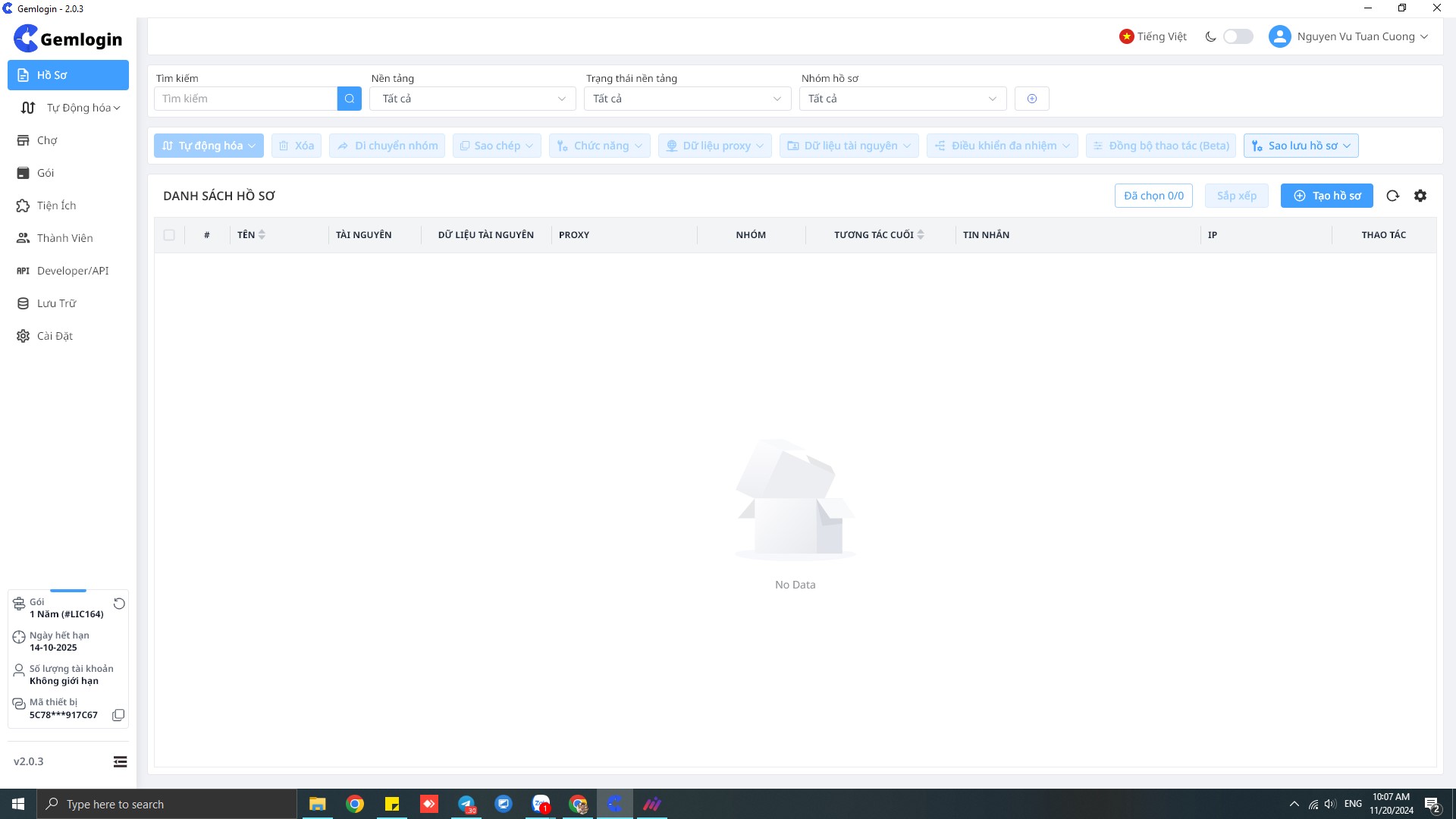
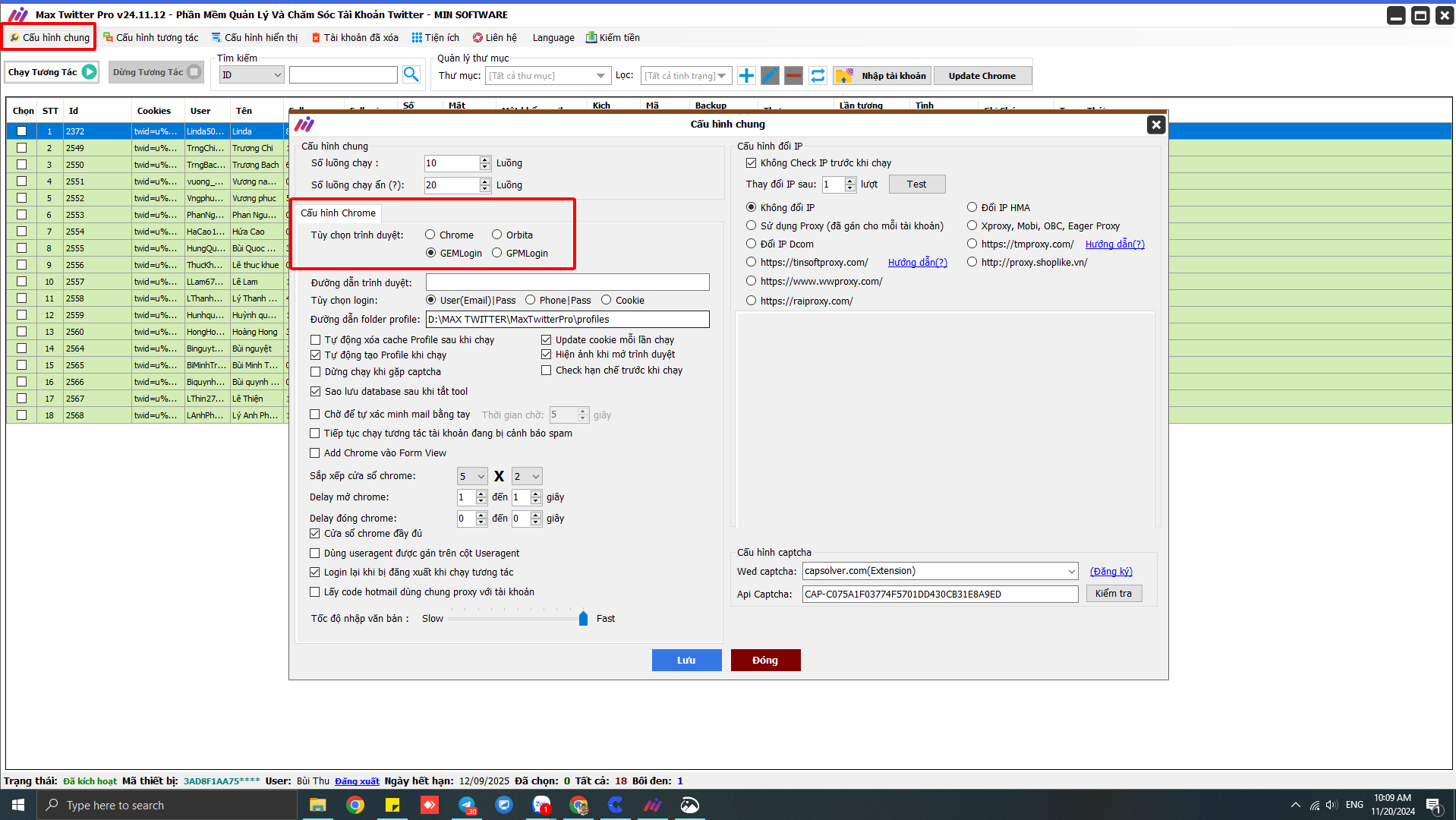
Step 2: Go to the general settings on MaxTwitter. Navigate to General Settings > Browser Options > Click GemLogin > Save.
Step 3: Select an account on MaxTwitter and click Run Interaction
Video Guide: How to Integrate GemLogin with MaxTwitter
Pricing Table: GemLogin – AntiDetect Browser Software
To use GemLogin, you need to register an account on the official website: Gemlogin.vn
After registering, download the AntiDetect Browser software and log in to your account.
The free version allows you to create up to 10 profiles with no feature limitations.
Additionally, to unlock the full range of features, users can consider upgrading to professional GemLogin service packages.
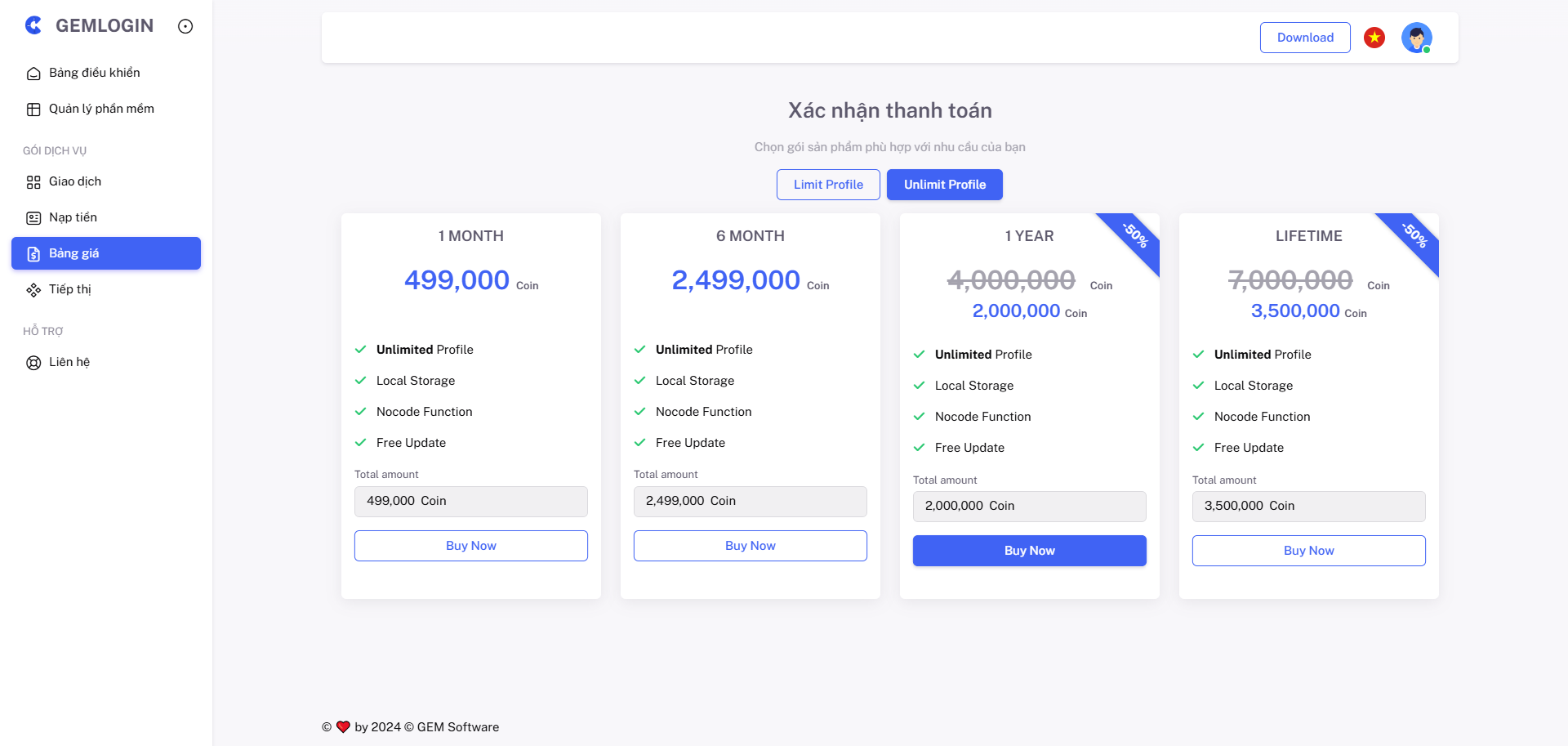
Additionally, you can also explore MaxTwitter software to enhance your workflow and maximize efficiency when used in combination.
MaxTwitter Software Pricing
📌 AUTOMATED TWEET POSTING SOFTWARE FOR CHROME
Plan 1: 1-month – 19,57 $
Plan 2: 1-year – 97,87 $
Plan 3: Lifetime – 176,16 $
👉 View payment details for more information: software payment
System Requirements for Running MaxTwitter Software
As of now, MaxTwitter Software is compatible with laptops and PCs running Windows 10 or later.
📌 System Requirements:
✅ Storage: 100GB SSD
✅ Operating System: Windows 10 or later
✅ RAM: 8GB or more
✅ Graphics: DirectX 9
💡 Join the MIN Software Community to explore more useful tools!
📲 Hotline/Zalo: 0338 360 067 – 0969.078.803
📩Telegram 1: https://t.me/thuminsoftware






