












Bulk Page Creation Tool – Simple and Efficient
Facebook Pages are no longer unfamiliar in today’s digital age. Creating Facebook Pages in bulk is not just a trend but also brings many benefits for individuals and businesses alike. In this article, we will explore the importance of Bulk Page Creation and the automated tools that support this process.
A Facebook Fanpage is a crucial tool for online marketing and promoting products for businesses and stores. Creating multiple Facebook Pages increases customer reach and enhances brand coverage. Minsoftware has developed an automatic Bulk Page Creation tool to assist online business owners. Let’s dive into the details of this simple Bulk Page Creation tool!
1. What is a Bulk Page Creation Tool?
A Facebook Page, also known as a Fanpage, is a business page on Facebook that helps with advertising, customer engagement, and brand building. A Fanpage provides an ideal platform for businesses to reach a wide audience and generate positive interactions.

📌 WATCH A DETAILED VIDEO GUIDE ON HOW THE BULK FANPAGE CREATION SOFTWARE WORKS:
2. Information about the Bulk Page Creation Tool
Maxcare Page is a simple Bulk Page Creation tool developed by Minsoftware. This tool operates fully automatically, allowing users to save time and efficiently build multiple Facebook pages and profiles. With just a few clicks, users can set up and create a large number of Facebook Pages, supporting effective marketing campaigns.
2.1. How Does the Bulk Page Creation Tool Work?
The Maxcare Page software supports multi-threaded bulk page creation, allowing users to create multiple pages simultaneously using one or more accounts.
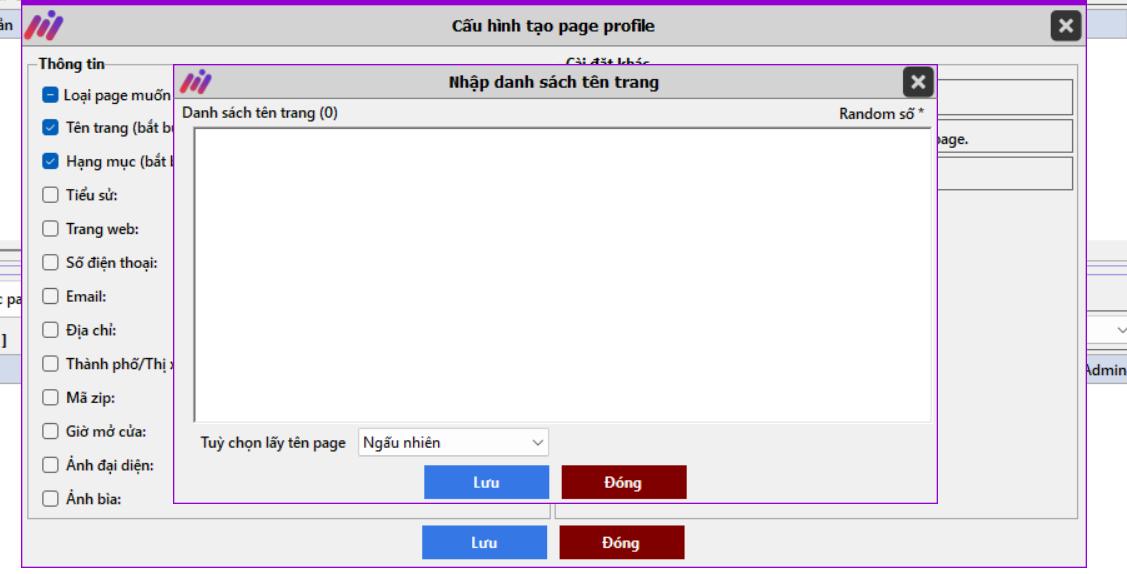
✅ Fully automated process – Users can either set random names for pages or assign specific names as desired.
✅ After setting up the page structure, name, and configurations, users can create hundreds or even thousands of Facebook Pages in no time.
2.2. Key Features of the Maxcare Page Bulk Fanpage Creation Software
Besides its core feature of Bulk Page Creation, Maxcare Page offers numerous advanced functions to meet user demands:
- Simulates real user actions for increased authenticity.
- Bulk update fanpage information (likes, follows, engagement, etc.).
- Manage thousands of fanpages and transfer admin rights between accounts.
- Automatically interact with fanpages, just like personal Facebook accounts.
- Create fanpages following Facebook’s rules, allowing multiple pages to be made per day.
- Full-featured Pro5 page registration.
- IP switching via proxies for each account.
- Automated posting, video uploads, and page seeding.
- All actions are performed directly on Facebook’s website.
- And many more upcoming features!
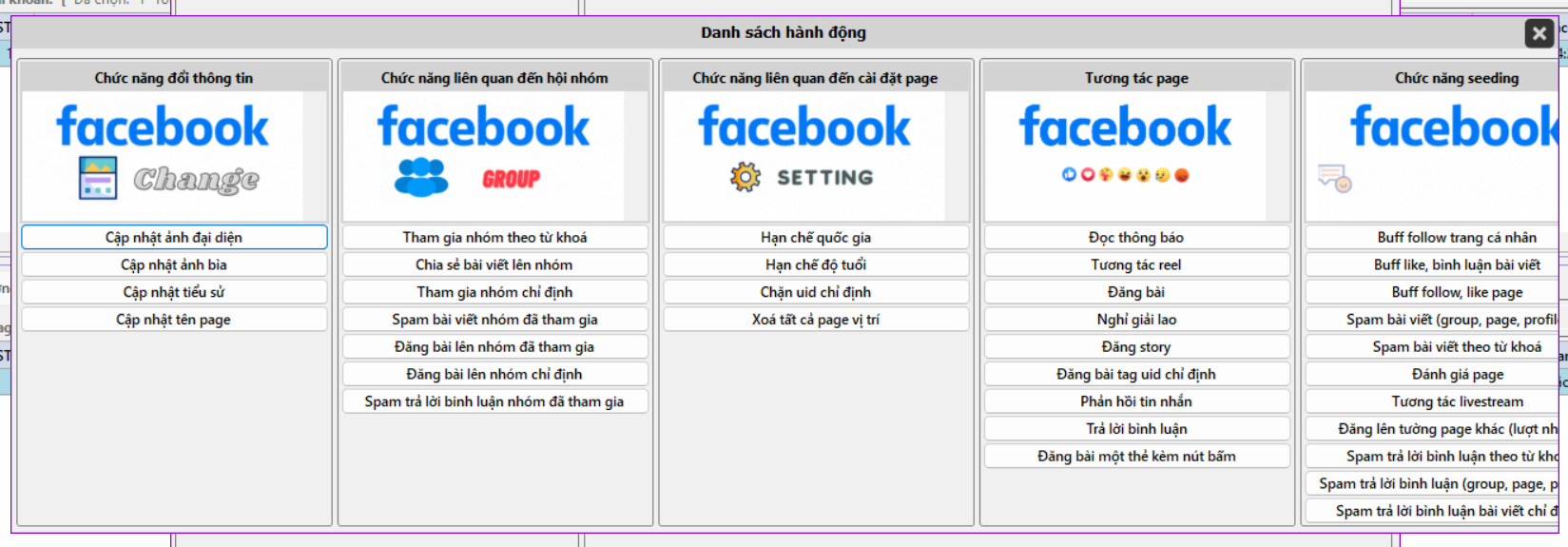
3. Instantly Create 10,000 Pages with the Bulk Page Creation Tool
Step-by-Step Guide to Creating Bulk Facebook Pages
Step 1: Access the Maxcare Page Bulk Fanpage Creation software with the provided account.
Step 2: In the software menu, right-click on Page Function → Select Create Page Profile.
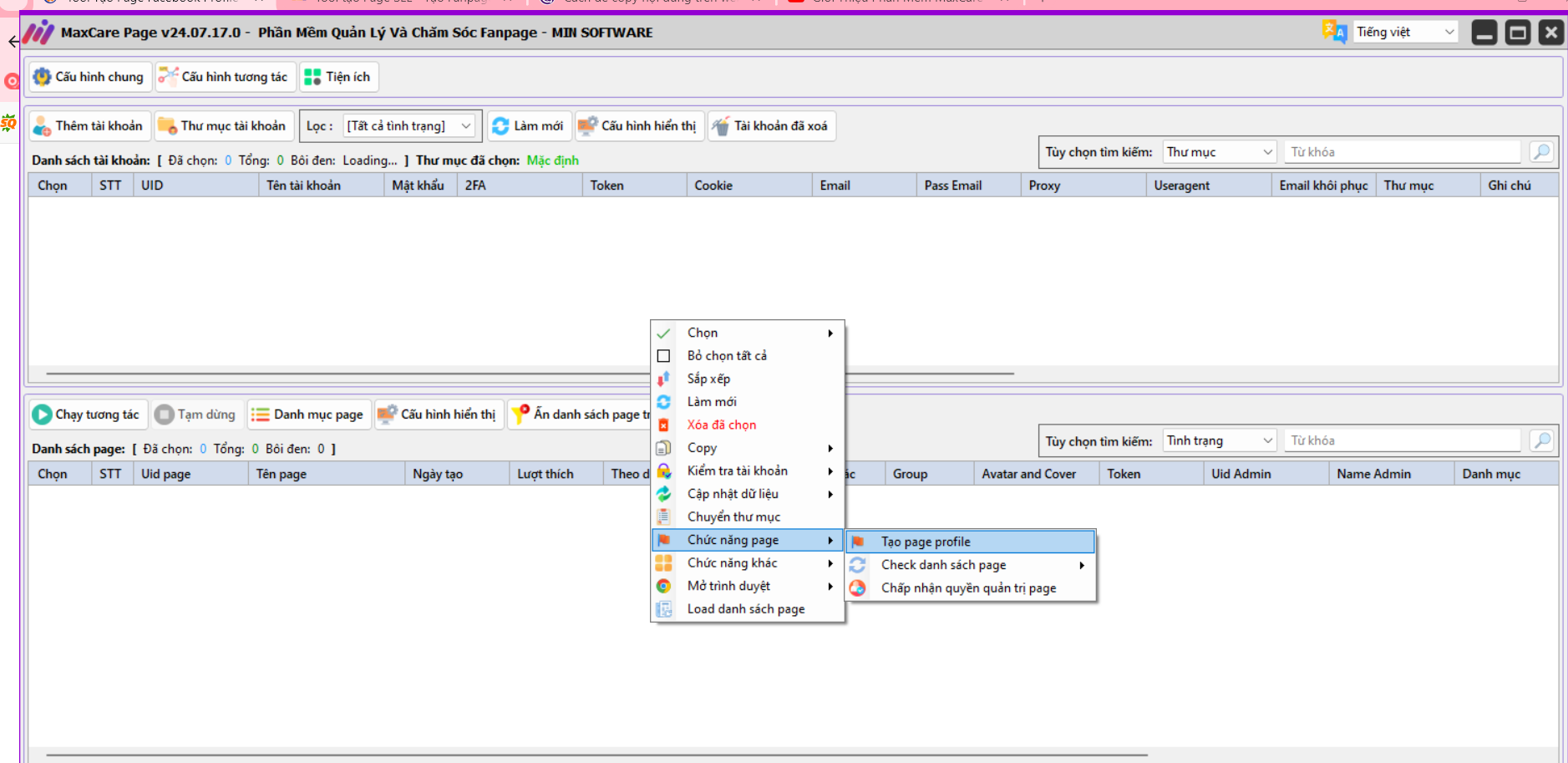
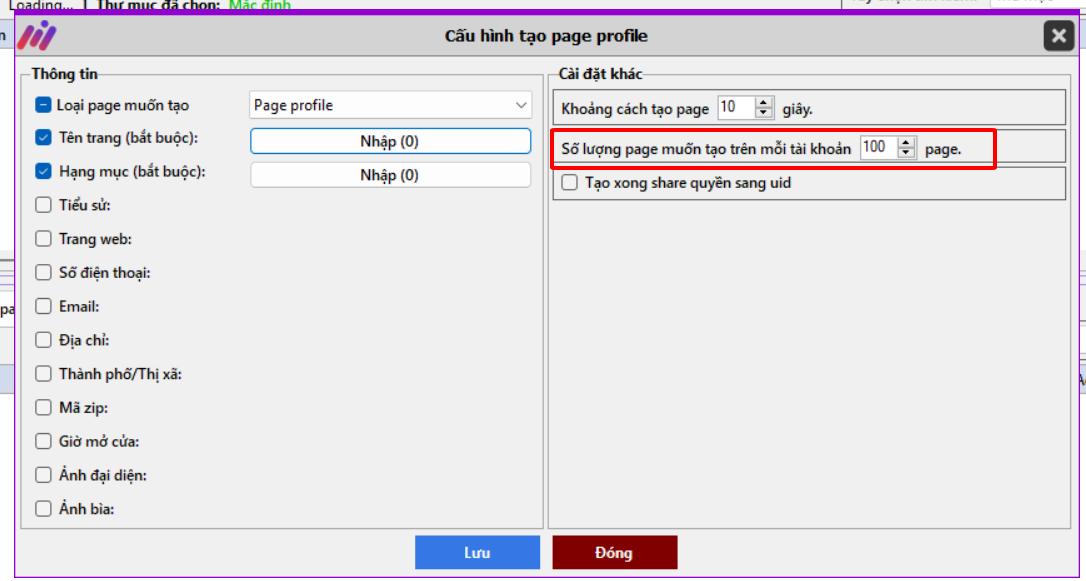
Step 3: Configure the Maxcare Page tool:
- Select Page Type
- Set Page Name
- Choose Category
- Specify Number of Pages to Create
Step 4: Enter the necessary information for each page.
4. Benefits of Owning Multiple Facebook Fanpages for Business
✅ Increased Reach: A large number of Facebook Pages enhances customer engagement.
✅ Brand Credibility: Managing multiple pages improves brand recognition and builds trust.
✅ Boosted Sales: More pages attract higher traffic, driving sales growth.
Tool pro5 Maxcare Page-Bulk Page Creation Tool Pricing Plans:
- 1-Month Plan: 1,000,000 VND
- 1-Year Plan: 3,500,000 VND
- Lifetime Plan: 10,000,000 VND
👉 SIGN UP FOR THE MAXCARE PRO5 BULK PAGE CREATION TOOL TODAY TO GET:
🔹 1-on-1 support during software usage.
🔹 Free lifetime updates and warranty.
🔹 Free consultation on building a marketing and sales system.
🎀 For free consultation and support, contact us now!
𝗛𝗼𝘁𝗹𝗶𝗻𝗲/𝗭𝗮𝗹𝗼: 0865.866.962
𝗧𝗲𝗹𝗲𝗴𝗿𝗮𝗺: https://t.me/maiminsoftware
𝗙𝗮𝗻𝗽𝗮𝗴𝗲: https://www.facebook.com/maiminsoftware/
🏬𝐋𝐨𝐜𝐚𝐭𝐢𝐨𝐧: 58 Trương Công Giai, Dịch Vọng, Cầu Giấy






